On this page
Cut Vinyl vs Printed Vinyl for Gradient Logos on Signs and Vehicles
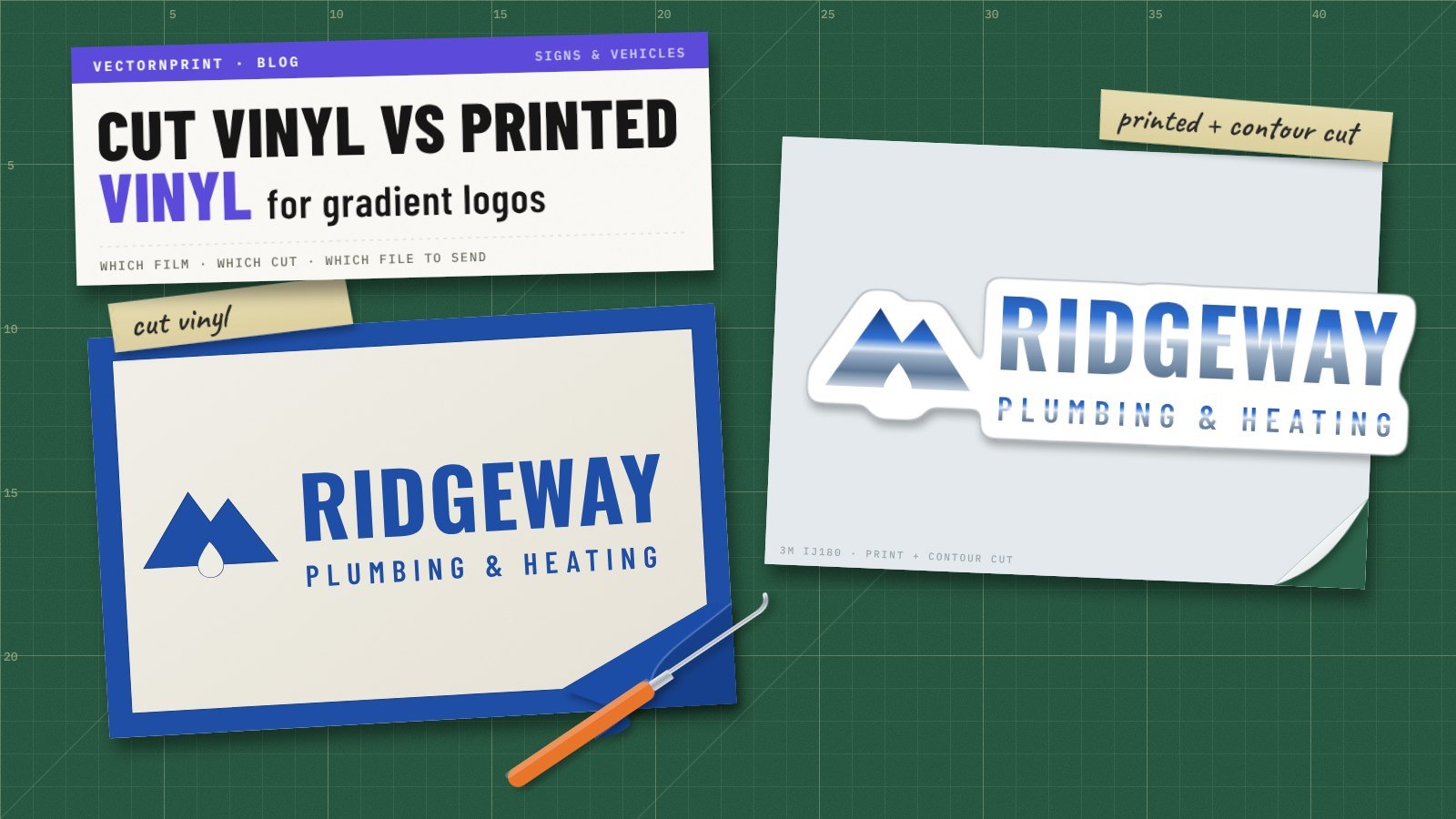
Choose printed vinyl if your logo needs to keep a smooth gradient, shadow, or chrome effect. Choose cut vinyl if you have a solid-color version and want the sign surface or vehicle paint to show between individual letters and shapes. If you want both the gradient and a decal trimmed to the logo’s silhouette, ask for contour-cut printed vinyl, also called print-and-cut.
Printed vinyl vs cut vinyl for logos
Cut vinyl starts with a sheet of precolored film. A plotter cuts the logo shapes, the shop removes the excess film in a step called weeding, and transfer tape holds the pieces in position during installation. You can combine several film colors, but each piece stays a solid color. Printed vinyl reproduces blends and fine detail by printing the design onto a printable film. The shop can trim the print to a rectangle or cut it along a custom outline.
| What you need | Ask for | What to check on the proof |
|---|---|---|
| Solid-color lettering or a simple logo with open gaps | Cut vinyl | Small letters and thin strokes are large enough to cut and weed |
| A smooth gradient on a sign panel or vehicle graphic | Printed vinyl | Color, contrast, and gradient detail at the finished size |
| A gradient logo trimmed to its shape | Contour-cut printed vinyl | Where the blade cuts and whether the design leaves a visible border |
Specify the edge as carefully as the color
Say you’re ordering a blue-to-silver gradient logo vinyl decal for a white work van. If you ask for a “die-cut logo,” the shop still needs to know whether you want one decal around the entire logo or separate pieces with exposed paint between them. A single outline simplifies placement. Individually cut pieces can deliver the open look you want, but tiny letters, narrow gaps, and detached details may be harder to cut and install. Ask the shop to show the cut line on the proof and point out any film that will remain between elements.
The same decision applies to storefront glass. A solid white mark can work well as cut lettering. If the brand depends on a gradient, ask to see a printed sample against the actual glass or a similar background. Check any transparent areas and ask whether the shop’s print setup can add white ink where you need the colors to stay opaque.
What vinyl sign logo file should you send
Send the best original artwork you have, the finished dimensions, and a photo of the installation area. Ask the shop which file format and color setup it prefers before exporting.
- For cut vinyl, supply a flat-color vector with clean, closed paths and lettering converted to outlines. If the design uses multiple film colors, make it clear which shapes belong to each color.
- For printed vinyl, send the full-color master. A vector file with editable gradients preserves flexibility at different sizes. A raster file can also work if the shop confirms it has enough effective resolution at the final output size.
- For print-and-cut, the print artwork and the blade path serve different purposes. Ask whether the shop builds the contour or wants you to provide it, and confirm its bleed requirements if color runs to the edge. Roland VersaWorks, for example, recognizes a vector path assigned a spot color named
CutContour.
Compare outdoor vinyl quotes on the same specs
For a flat sign panel or door decal, give the shop the substrate and intended placement. For a bumper, recessed van panel, or compound curve, ask the installer to specify a conformable film and compatible overlaminate for that surface. Manufacturer performance figures come with conditions. For example, 3M’s stated expected performance life for IJ280 applies to unprinted, unprotected film on a flat, vertical outdoor surface under the bulletin’s specified conditions. Ask what coverage applies to your finished graphic and placement.
Cut vinyl can be economical for a simple one-color mark. Multiple colors or intricate shapes add weeding and alignment labor. Printed graphics can add printing, lamination, and contour cutting. For a fair comparison, give both shops the same size, quantity, placement, and installation scope, then ask them to itemize any artwork prep.
Need Your Gradient Logo Ready for Vinyl?
We redraw your logo by hand in Illustrator and deliver an editable gradient master plus a flat spot-color version for cut vinyl, ready for any sign shop.
Frequently asked questions
Can a vinyl cutter reproduce a gradient from a vector file?
A cutter follows paths. If the logo’s gradient is an editable vector fill, the shop can print that fill and use a separate path to trim the decal. For precolored cut film, use an approved solid-color version of the logo.
Will a printed chrome gradient look like real chrome?
A printed gradient can simulate the highlights and shadows of chrome. If you want the surface itself to reflect light like a metallic finish, ask for a specialty film sample and have the installer confirm that the film suits your application.
Can I use the same logo on a fleet van and a storefront window?
Yes. Use the full-gradient master wherever you want the original shading, and the approved flat version wherever you need solid-color cut lettering. Keep both for future orders so each shop starts with the same logo geometry.